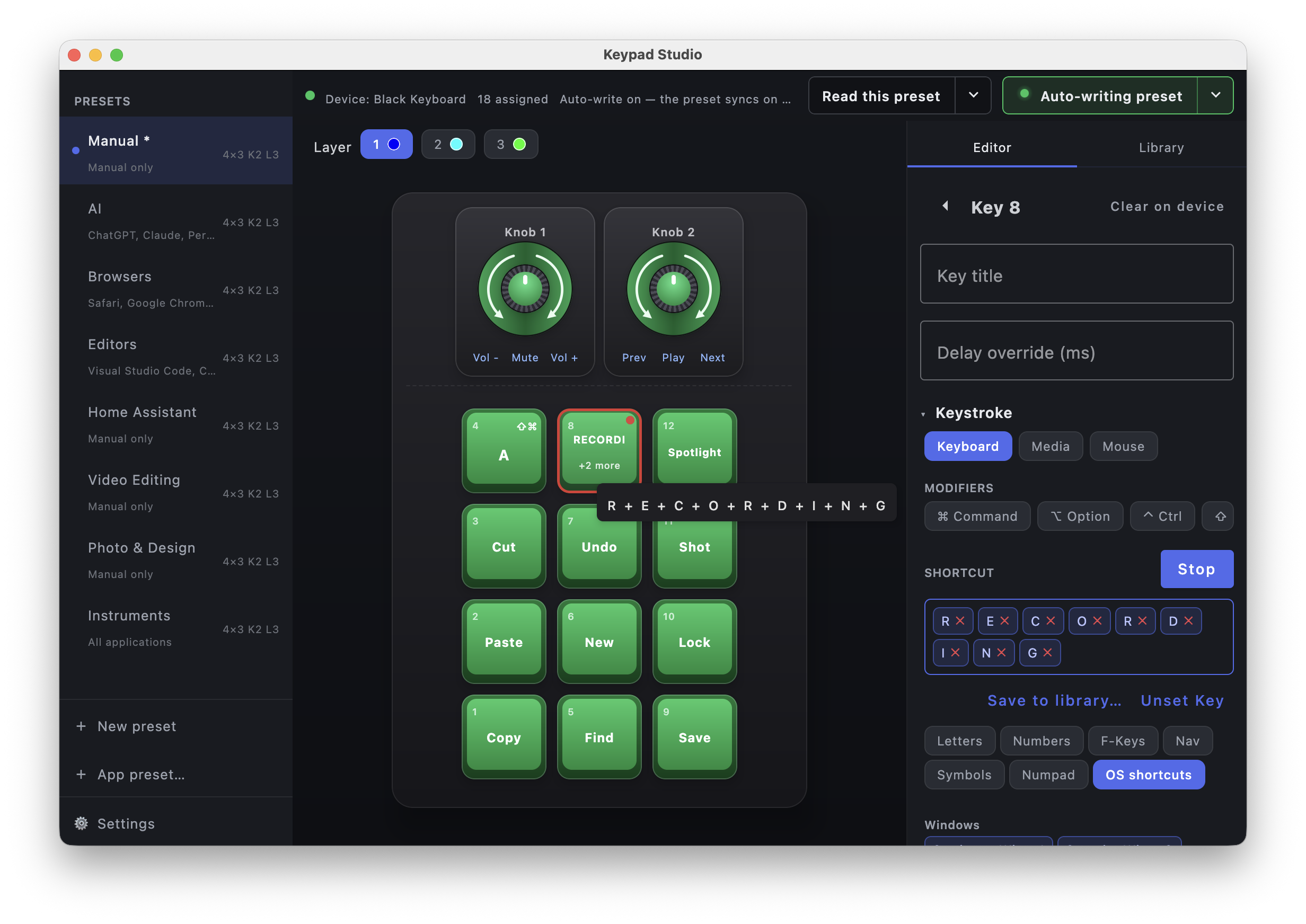
What it does
Keys & macros
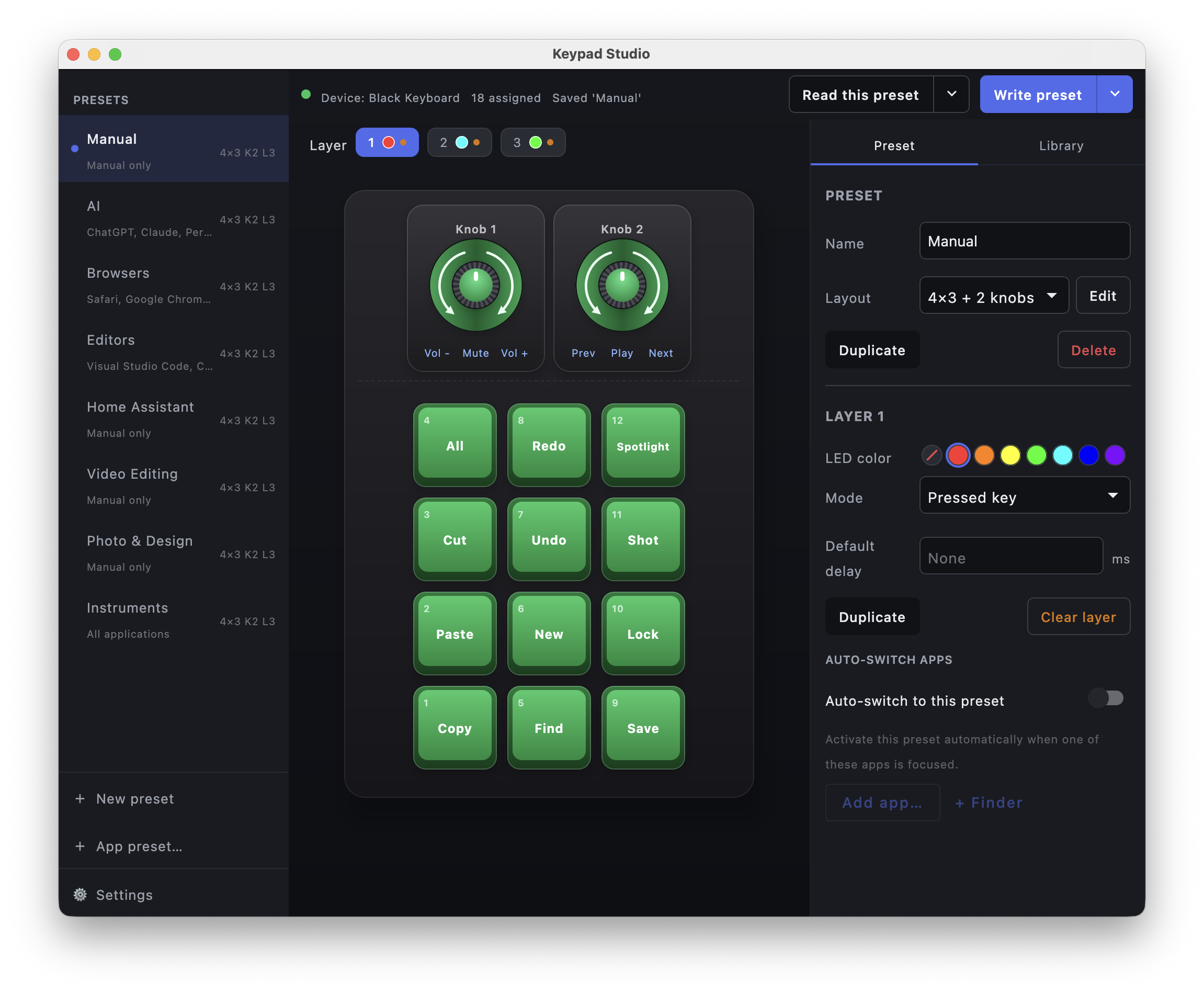
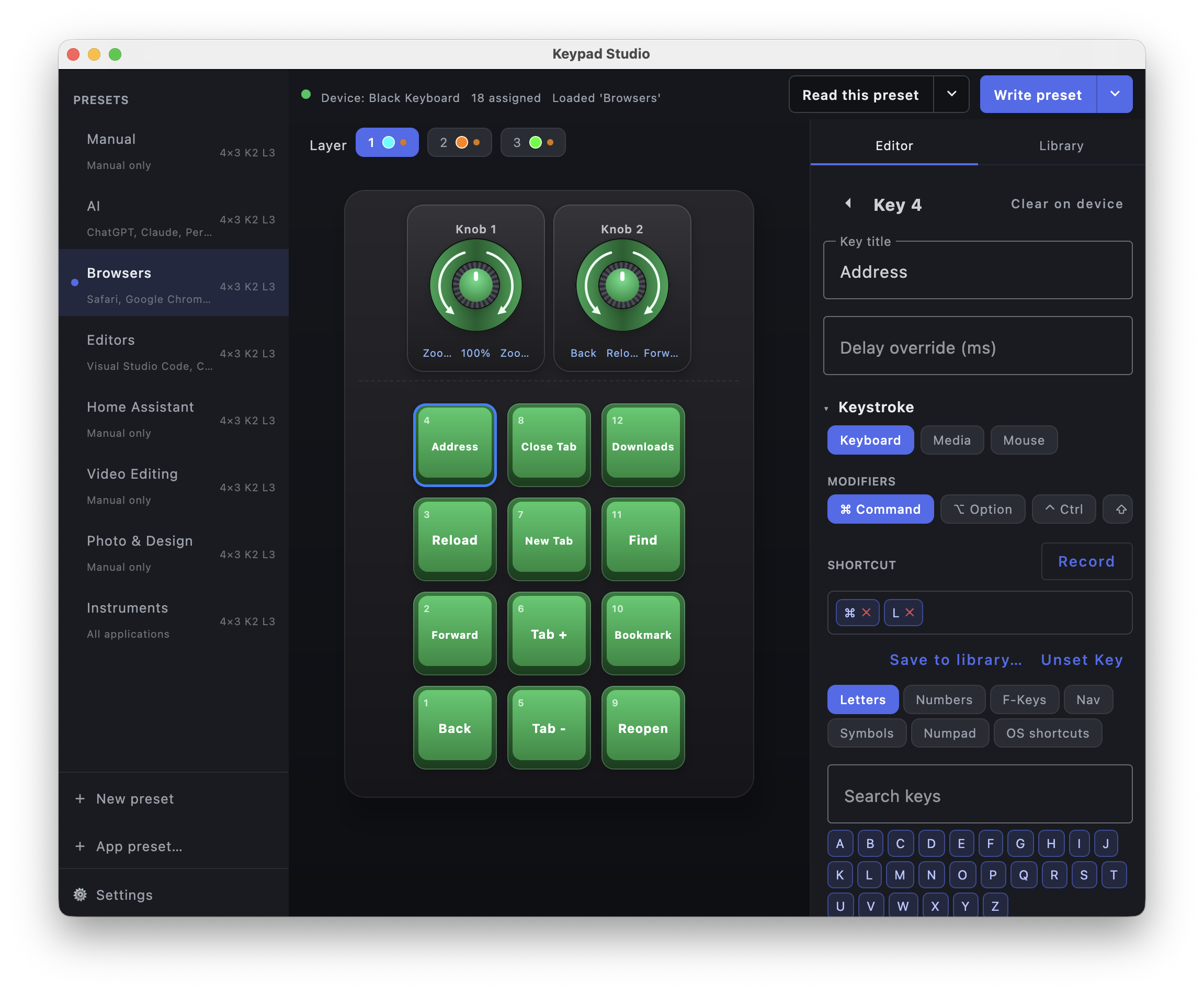
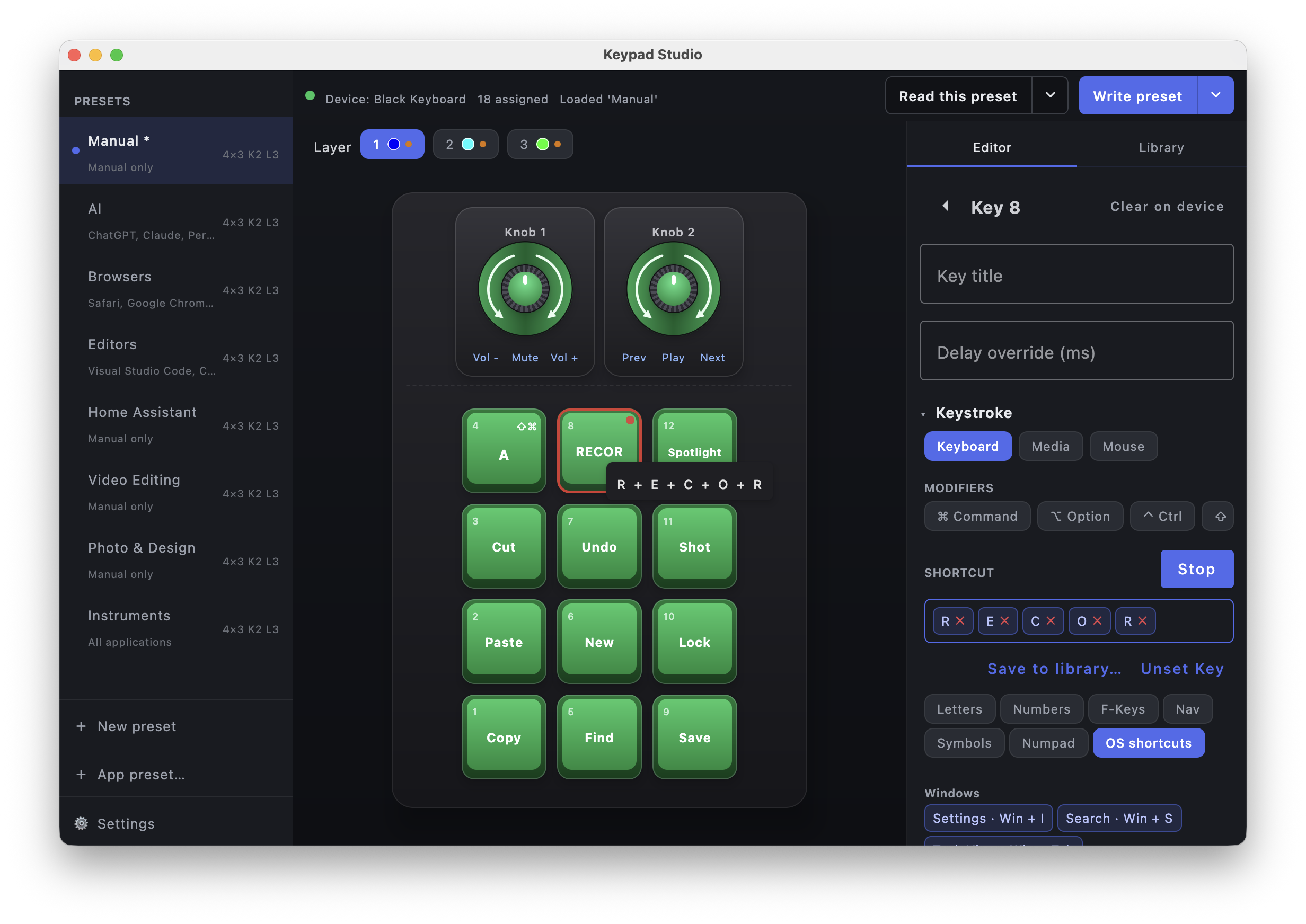
- Visual editor — click any key or knob and assign keystrokes, modifier combos, media keys, or mouse buttons & wheel.
- Macro recording — capture multi-step sequences with per-key delays.
- Copy, cut & paste —
⌘/Ctrl + C/X/Von any key, or the right-click menu. - Rearrange keys — drag-and-drop to swap keys around the grid via a staging tray.
Layers & presets
- Layers — edit layers individually, write the full hardware set when needed, and keep unsaved work flagged.
- Layout profiles — match real hardware with row x column x knob layouts.
- Rearrange layers — reorder, copy, or clear layers in a click.
- Presets — save full layer sets, duplicate them, and import / export as JSON to share.
- Read from device — pull the configuration already stored on a connected pad.
- Per-app switching — the active preset follows whichever app is in focus, with optional full writes on switch.
Integrations
- Host actions — launch an app, open a URL, run a command, or fire a system action from a key.
- Plugins — trigger third-party services: Home Assistant, Philips Hue, WLED, Elgato Key Light, OBS Studio, MQTT, Slack / Discord webhooks, GitHub Actions, IFTTT, and more.
- Key library — build a key once, then drop it onto any slot.
Lighting & polish
- RGB control — per-layer, per-key colors and LED animation modes.
- Themes — light & dark, with selectable accent colors.
- Localized — English, Spanish, French, German, Japanese, and Chinese.
- System tray — switch presets and toggle auto-switching from the tray.
Targets the CH57x-family “MINI KeyBoard” keypads (USB vendor ID
0x1189). Host actions and plugins are opt-in. On Linux the app needs a small one-time
setup (a udev rule and an X11 session) — the in-app first-run checklist walks you through it.
Try example presets
Download a ready-made presets example JSON and import it into Keypad Studio → Presets → Import.
Includes sample layouts for AI shortcuts, browser controls, Home Assistant actions, and common editing macros.
Download
These links always resolve to the most recent release. On a Raspberry Pi, use the arm64 files (64-bit Pi OS required).
Older versions and full release notes are on the Releases page.